
Pro-Quality AI Music
Top-tier models running locally on your Mac. No cloud processing, no uploads, fully private.
Create complete songs from an idea, generate lyrics and titles, shape the result with reference audio, then edit, mix, and export in one Mac app.
BeatMind runs locally on your Mac — no cloud processing, no uploads, and your creative work stays with you.
BeatMind combines generation, writing, arrangement, reference audio, and export tools so ideas do not have to leave the app.
Top-tier models running locally on your Mac. No cloud processing, no uploads, fully private.

Brainstorm lyrics, hooks, and styles — sent straight into your workflow.

Timeline editing, per-track mixing, and a full professional FX chain.

Define your genres — full tracks generated automatically, at scale.

Import any reference track to steer the character of your output.

Generate lyrics and style captions in multiple languages, instantly.

Full ownership. No royalties, no copyright claims.

From a simple prompt to full studio control — your creative process, your rules.

On-device generation keeps your prompts, lyrics, references, and songs on your Mac.
BeatMind is more than a prompt box. It gives you practical editing controls after generation, including timelines, waveforms, effects, and export options.
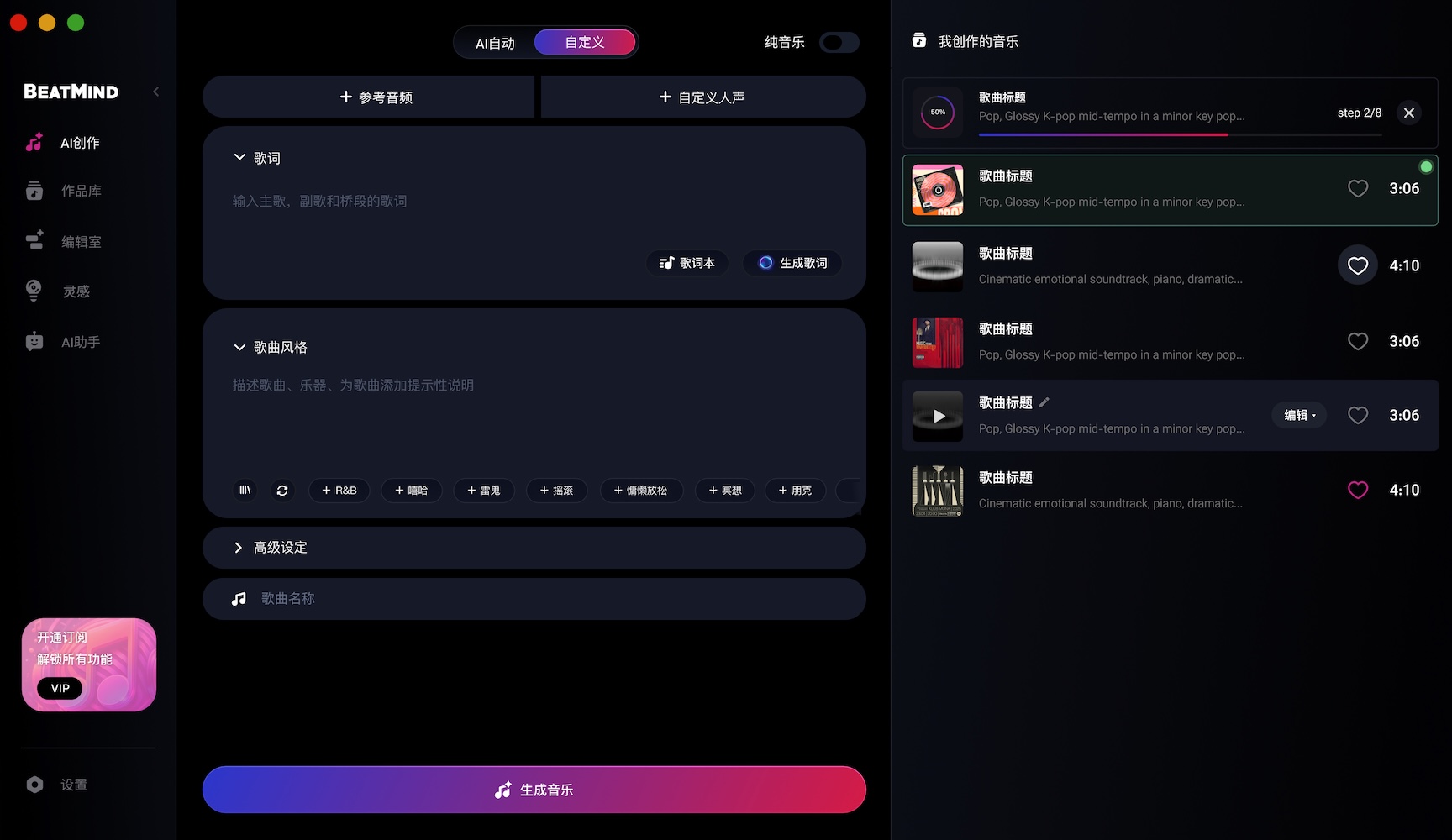
Move from idea to audio without switching tools or rebuilding context at each step.
Start with a short style description, mood, language, or reference material.
Generate or paste lyrics, reuse recent lyrics, and preprocess them for better title writing.
Create a song title in the background or as part of the generation pipeline.
Generate the song, monitor progress, then continue editing in the library or studio.
BeatMind is designed for creators who want fast tools, local files, and clear ownership of their output.
Create and manage projects on your Mac with a native desktop interface.
Use your generated songs as part of your own creative catalog, projects, and releases.
Preview, trim, seek, cache, edit, and export without leaving the music workflow.
BeatMind is built to help you create finished music assets you can keep, organize, edit, and export.
Free is built for standard song creation. Pro unlocks longer tracks, lossless formats, Flux batch generation, and advanced Studio processing.
Standard generation for getting started with BeatMind.
For creators who need longer songs, batch generation, and lossless production formats.
Download the macOS app, write the idea, generate the song, and finish it in Studio.
Download for Mac